Canvas — think spatially
A canvas is an open 2D plane — text notes, links, and live documents as nodes, connected by arrows and organised into groups. It isn’t a diagram tool bolted on the side: the nodes are real Vancetope documents, it’s collaborative (live cursors), and agents can build and query it with tools, same as any other document.
This tour uses the design canvasbook in the demo project orbit-app
(seed it with wb smoke showcase).
Table of contents
Getting there
Canvases live in a canvasbook app — that’s the editing surface (a standalone
canvas opens read-only). Open the design canvasbook from Documents (or the
app view) and its board fills the screen: one menu button up top switches
between boards, and it auto-saves as you work.
Nodes, edges, groups
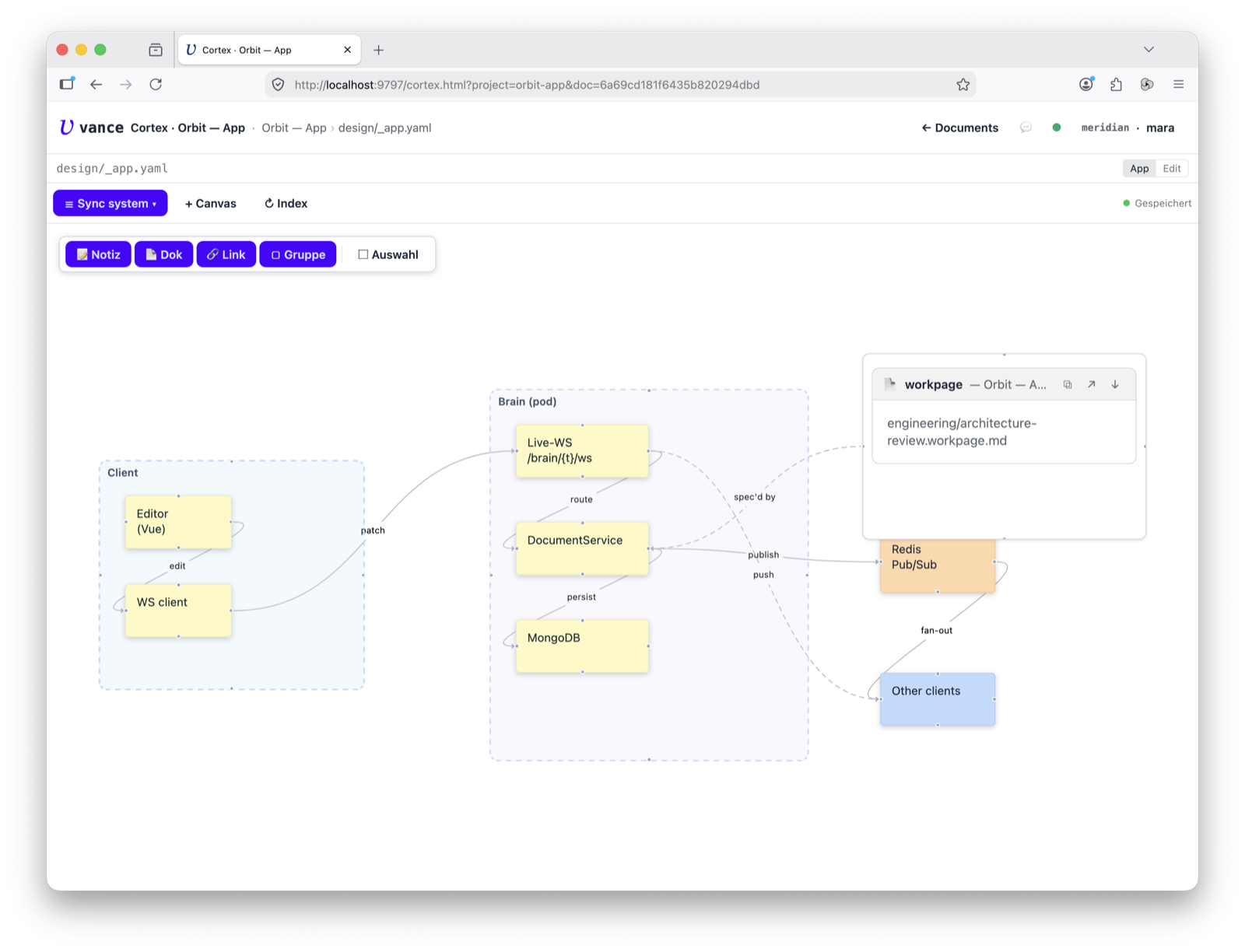
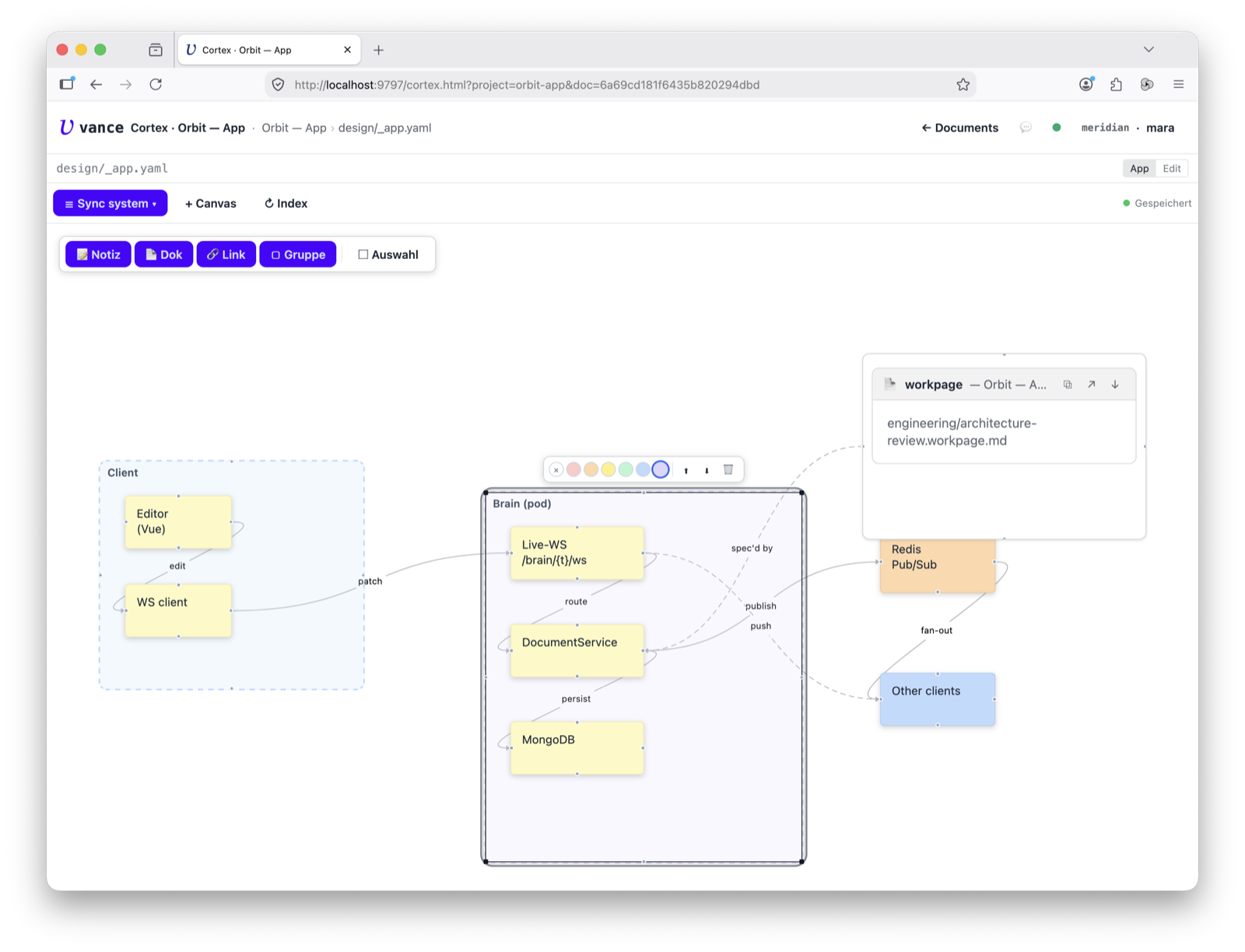
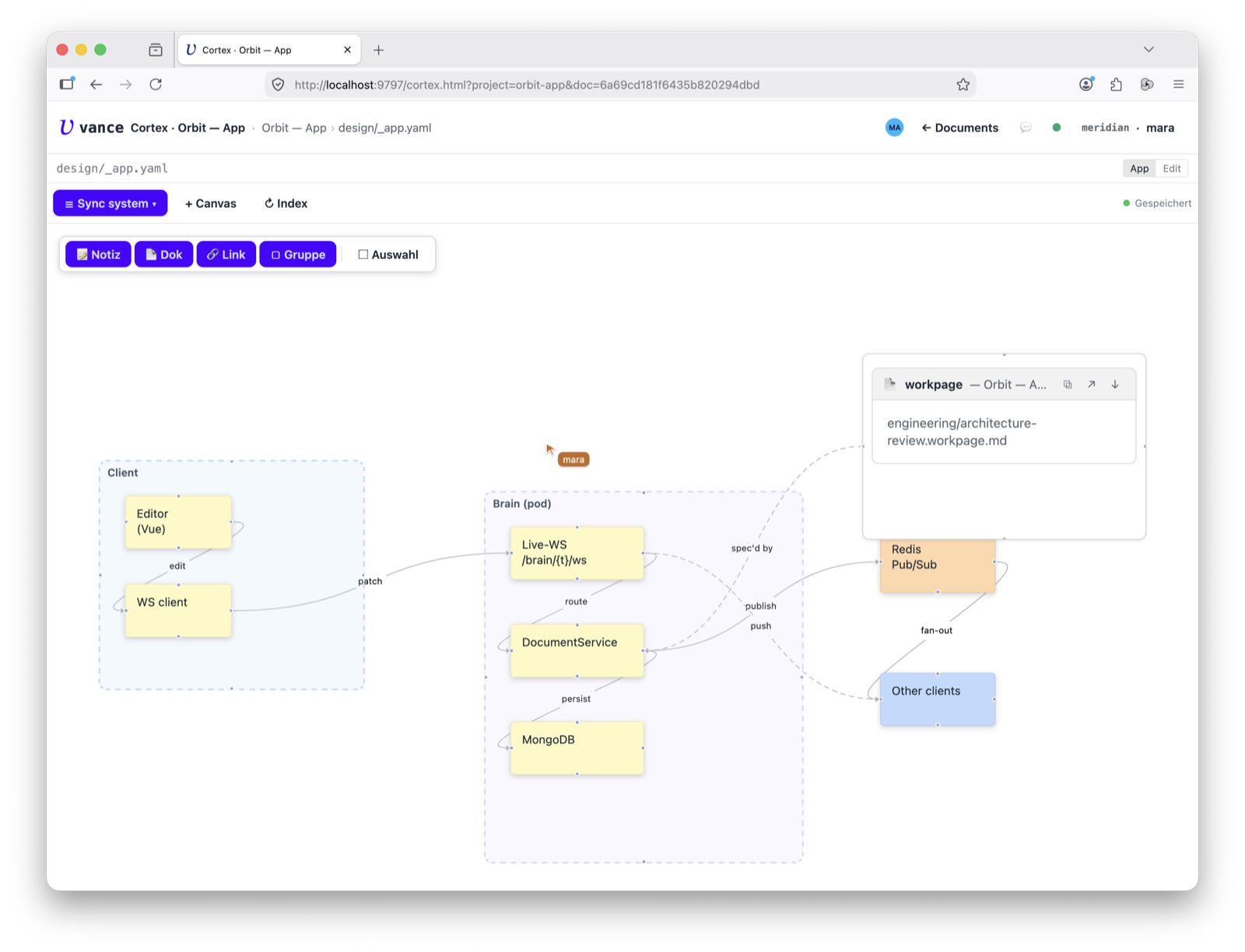
Three things make a canvas. Nodes — sticky text, links, or documents. Edges — directed arrows with heads, connectable on all four sides. Groups — frames that hold nodes; move the frame and everything inside moves with it. It’s explicit parenting, so an agent reading the canvas knows what belongs to what.
Live documents on the board
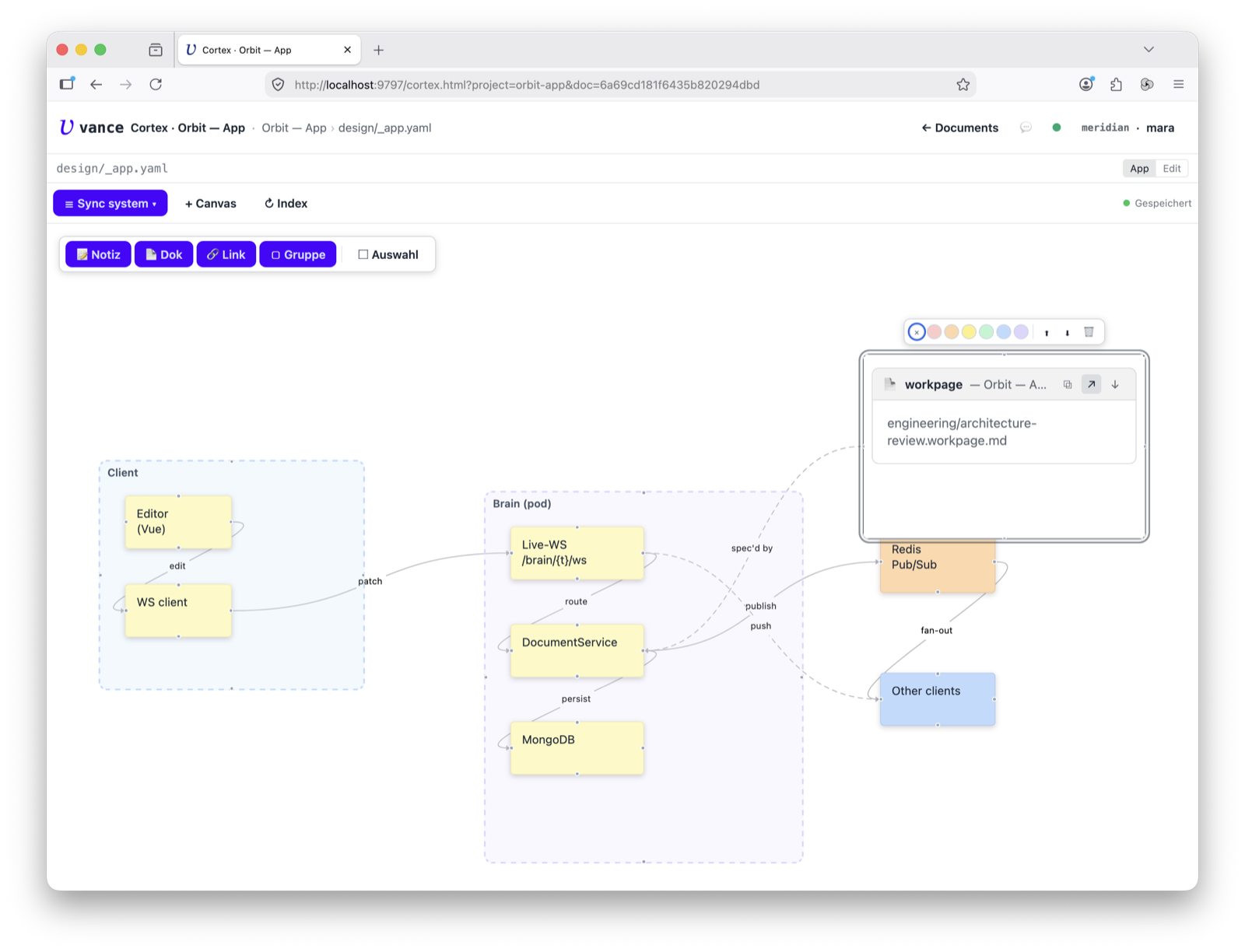
The strongest node type is doc: it embeds an actual document, rendered by its
kind — not a screenshot, not a link. The “Sync system” board pins the
architecture-review workpage right onto the plane, rendered live, with a ↗
that jumps you into its Cortex tab.
Make it yours
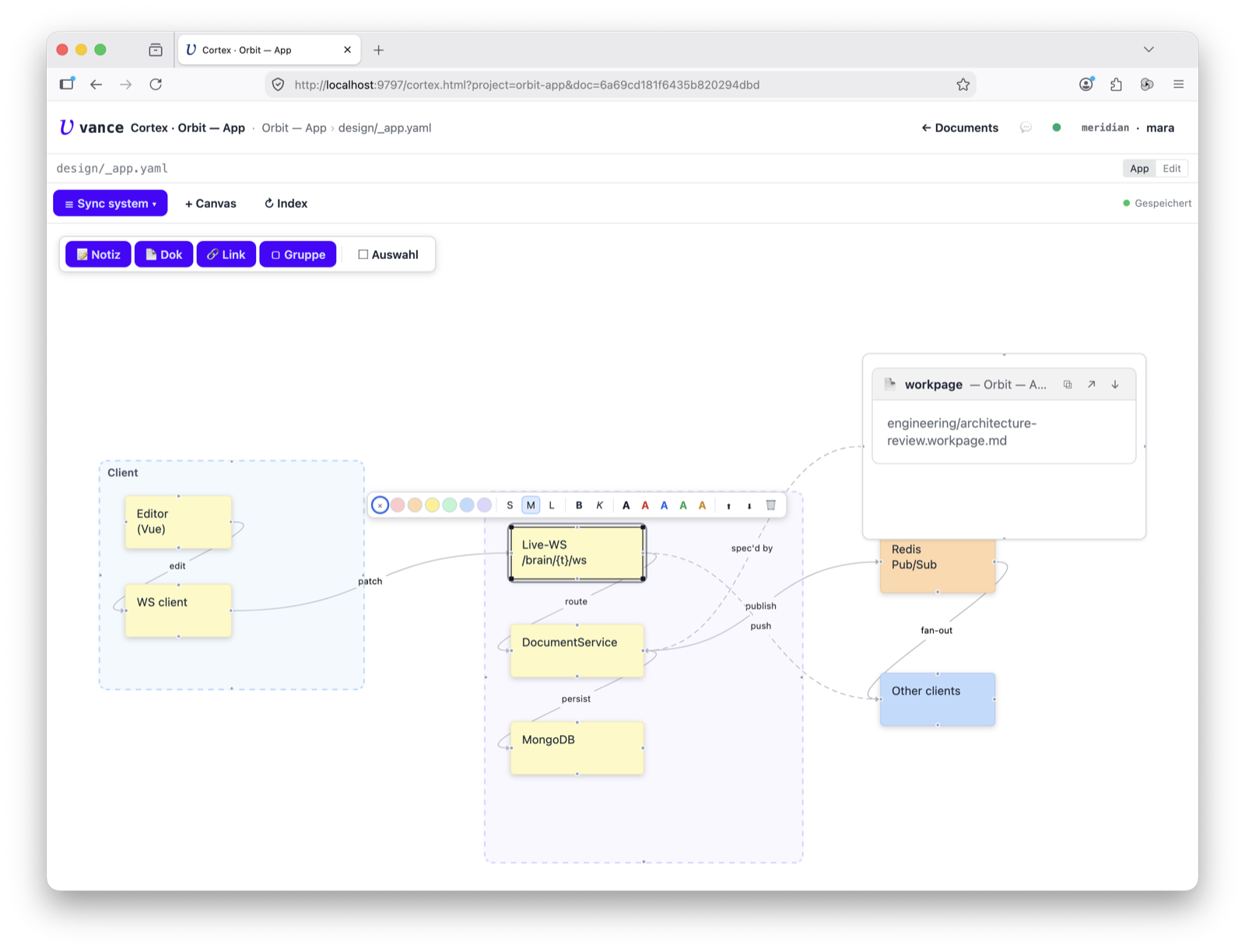
Editing is direct. Select a node and a toolbar floats up — colour, font, bold/italic, text colour, bring-to-front / send-to-back, delete. Drag the resize handles, edit text inline, pull a connector from any of the four sides to wire up a new edge. You can even drag a file onto the plane and it uploads and drops in as a doc node.
Where to go next
- Built by an agent? The
canvas_*tools (create, add nodes/edges, query) let a worker assemble or read a board — see How-tos. - What a canvas is on disk and how it renders: canvas spec and the canvasbook app spec.
- The unified workspace this opens into: Cortex tour.