Finance — structure money decisions
A finance-tree is a document for thinking about money as a hierarchy. Nodes carry amounts — recurring rates or one-off sums — and roll up bottom-up. A node’s sign flips its whole subtree, so a “Costs” branch subtracts without you ever typing a negative number. The tree is the source; the math compiles the totals; reports are the artefacts you export.
This tour uses the studio-budget finance-tree in the demo project
meridian-ops (seed it with wb smoke showcase).
Table of contents
The tree
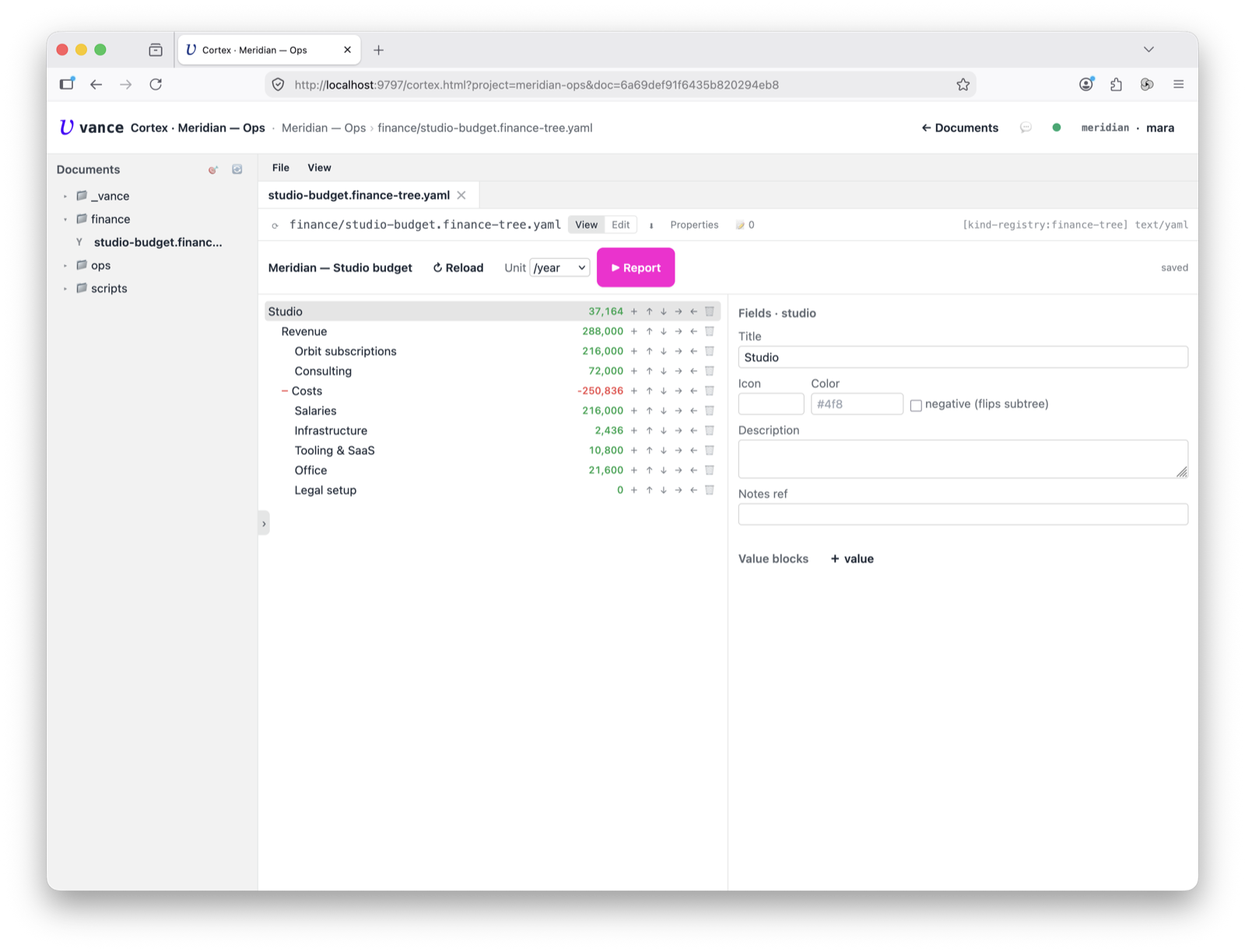
Open the finance-tree and you get a master-detail editor — the tree on the left,
the selected node’s detail on the right. The studio-budget example rolls a
studio’s month up from two branches: Revenue and Costs. The top shows the
net, and a switcher recomputes it per day / week / month / year.
Sign flips the subtree
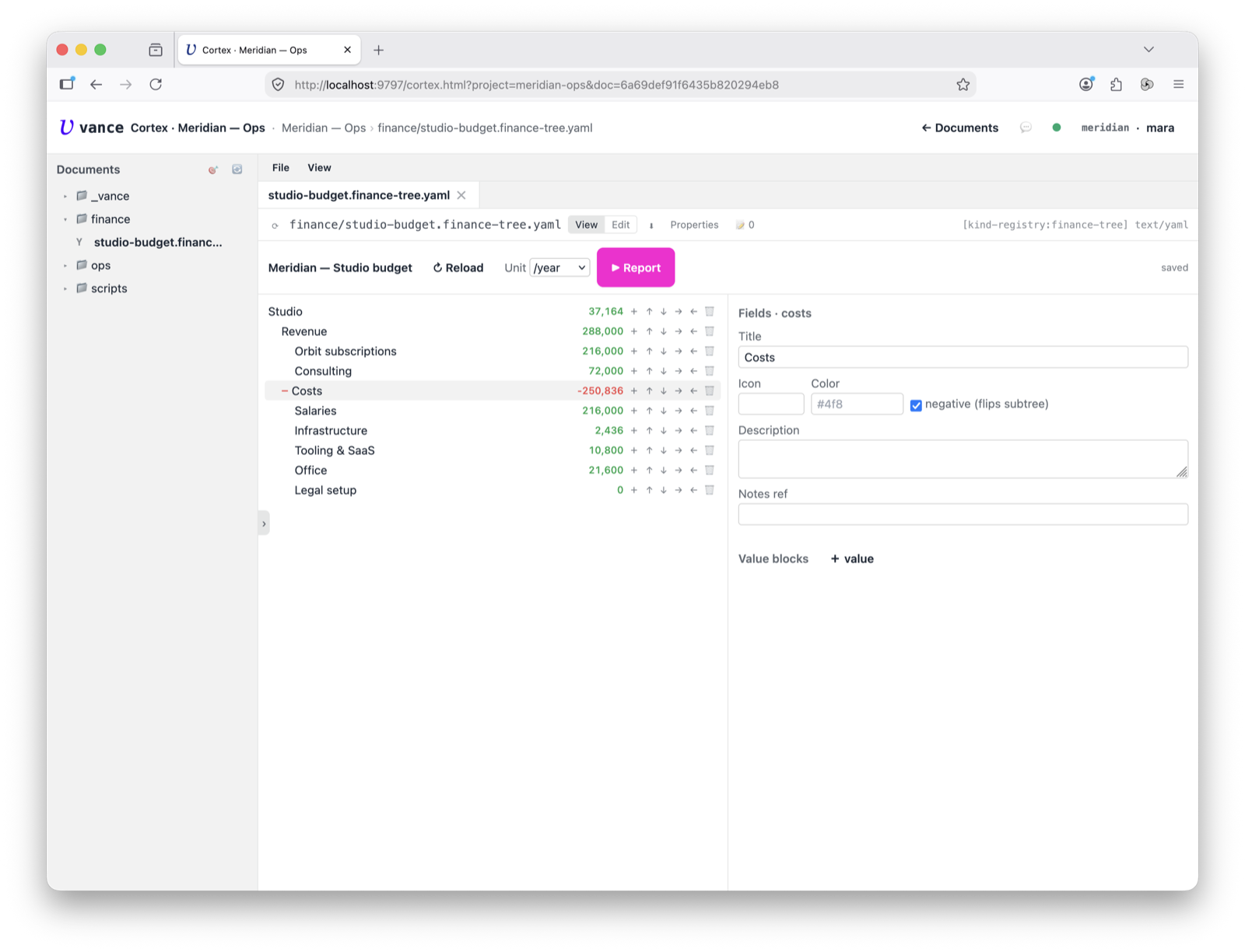
Select the Costs node and it carries sign: −1 — everything under it is
entered as a positive amount (salaries 18,000/mo, infra 203/mo, …) and subtracted
automatically. A record can be a recurring rate (with a period) or a
one-time sum on a date (the €5,000 legal setup). You never juggle minus signs.
Reports compile out of it
The Report button runs a processor over the tree and writes the result
through another kind: table → a sheet (period matrix), series → a
chart (a time series per node), assessment → a markdown write-up. Same
source, different compiled artefact — inline, or saved as its own document.
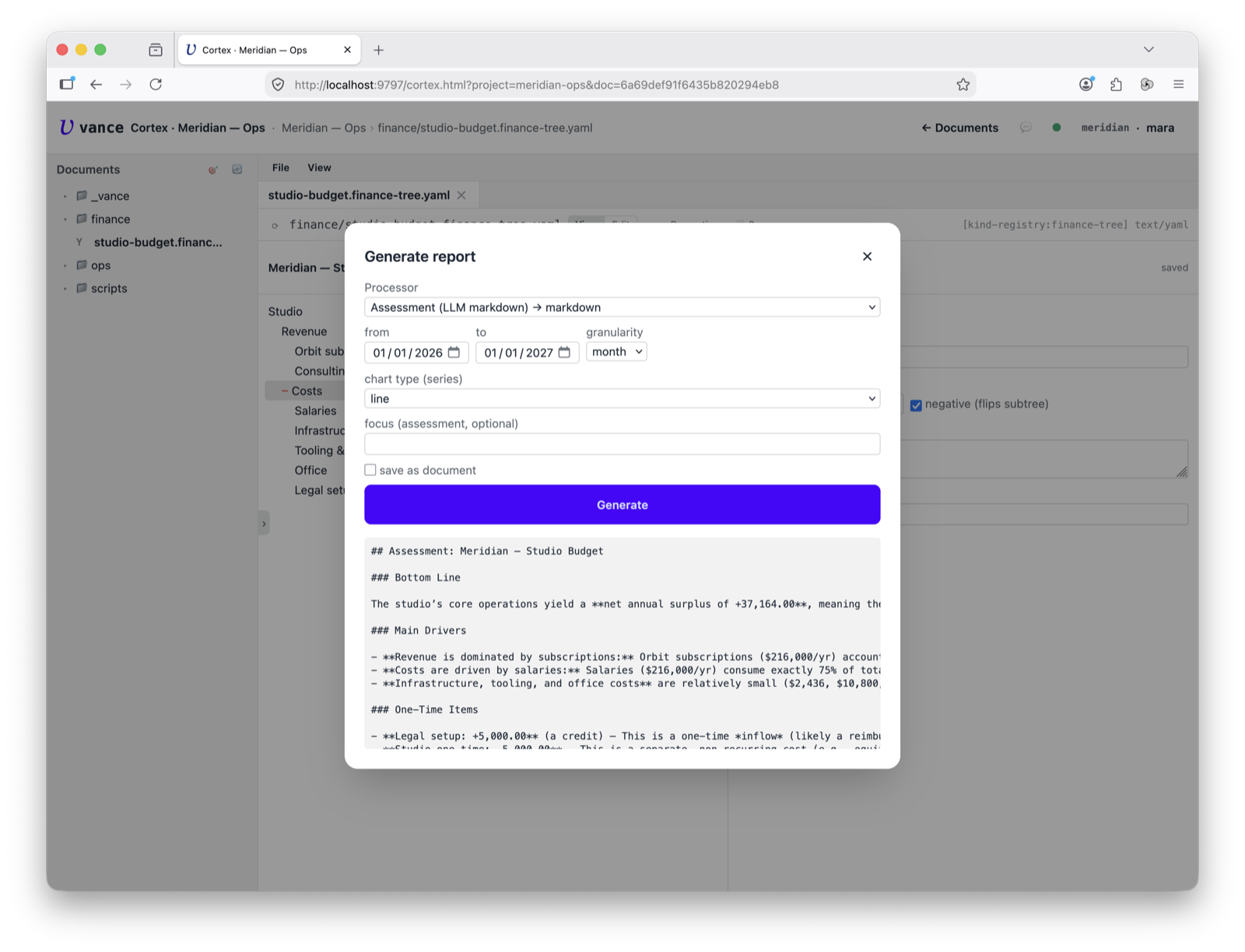
Here the assessment processor turns the numbers into a written read — bottom
line, main drivers, one-time items — but the same dialog will just as happily
compile a sheet matrix or a chart series from the identical tree.
Where to go next
- The node/value model, the year invariant and the calc rules: finance-tree spec.
- The
finance_*tools let an agent build the tree, set values, recalc and generate reports — see How-tos. - Editing the tree alongside chat: Cortex tour.