Kanban — plan work, track it
A board of columns and cards — a place to think through work and watch it move, not a project-management system to administer. Cards are real documents (fields and a full workpage body), the board live-updates, and an agent can create, move and summarise cards with tools while you watch. (Its sibling app Issues shares the same shape.)
This tour uses the delivery board in the demo project orbit-app
(seed it with wb smoke showcase).
Table of contents
The board
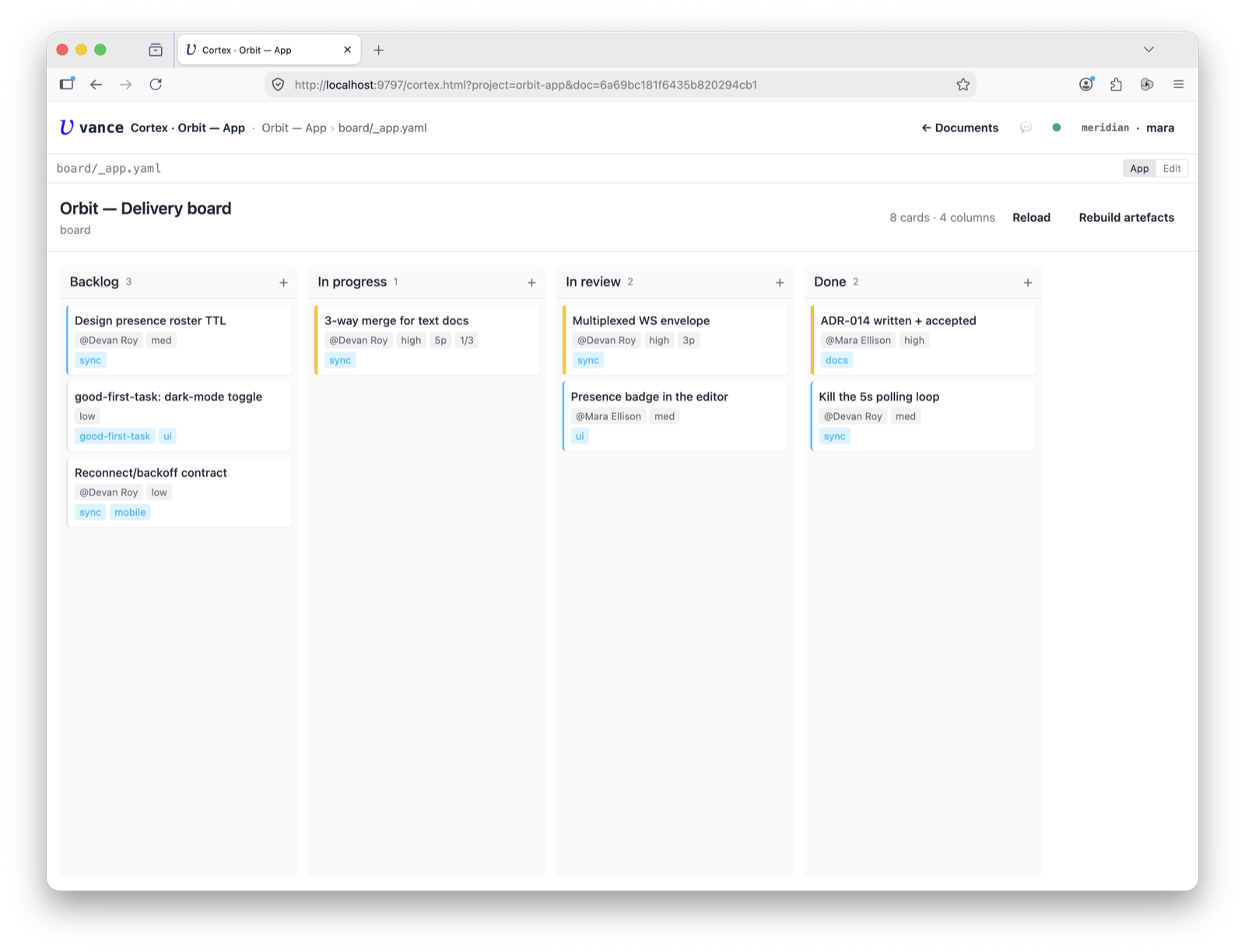
Open the board and you get columns left-to-right — here Backlog → In progress → In review → Done. Each card shows its title, a priority left-border, and its labels and assignee; a column header counts its cards (and flags a WIP limit in red if you set one).
Inside a card
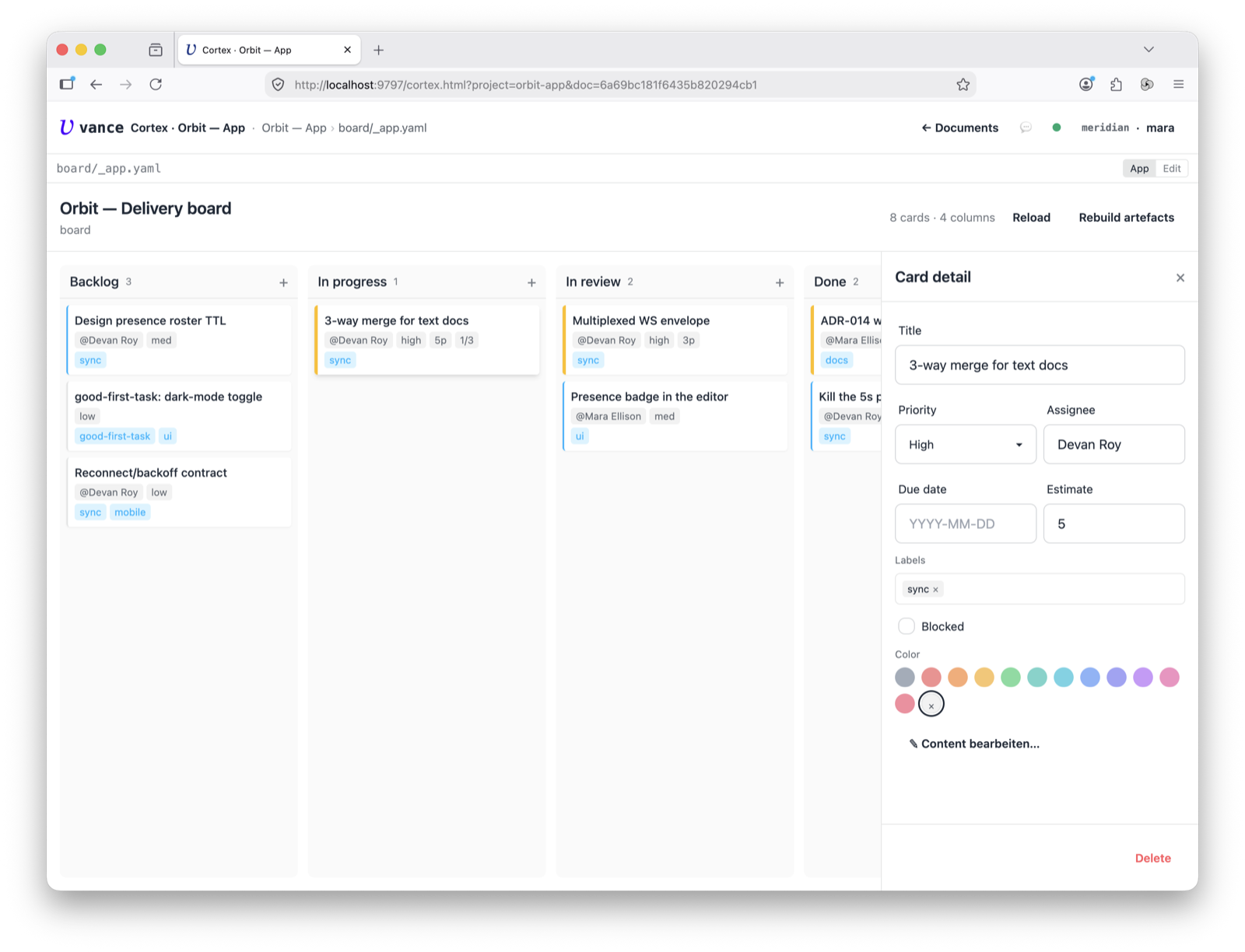
A card isn’t just a title. Click it and the right panel opens its fields — priority, assignee, labels, due date, estimate, a blocked flag — plus a full workpage body (edited in a roomy block editor). Checkboxes in the body feed the card’s subtask-progress badge.
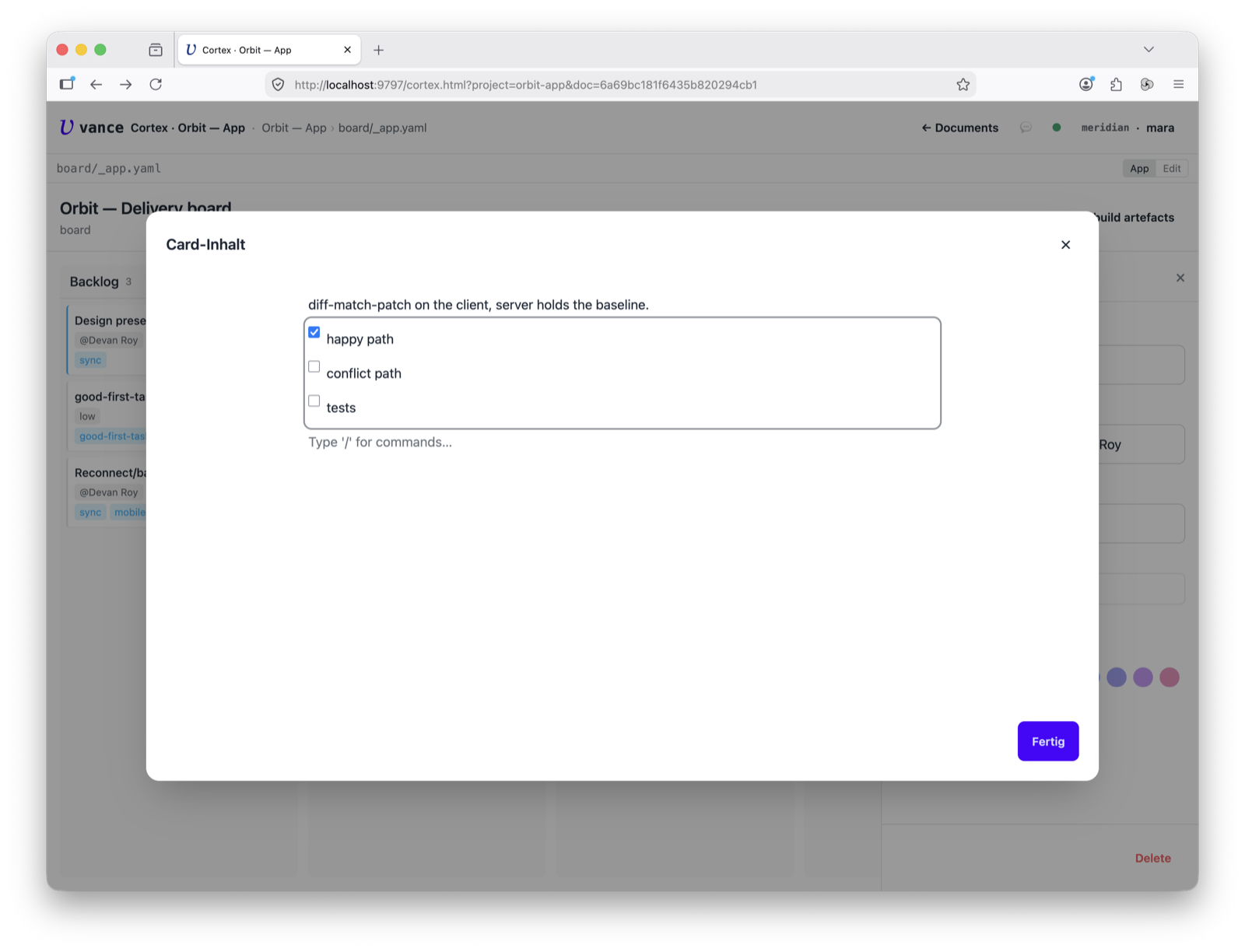
The body isn’t a plain text box — “Content” opens it in the same block editor
a workpage uses: headings, lists, checkable to-dos, / for blocks. So a card can
hold real notes and acceptance criteria, not just a one-liner.
Move it
Drag a card to another column and it goes — the move is optimistic (it lands immediately, then persists), and a hard WIP limit will block a drop that would overflow. This is the whole point: you push work across the board as it progresses.
Add a card
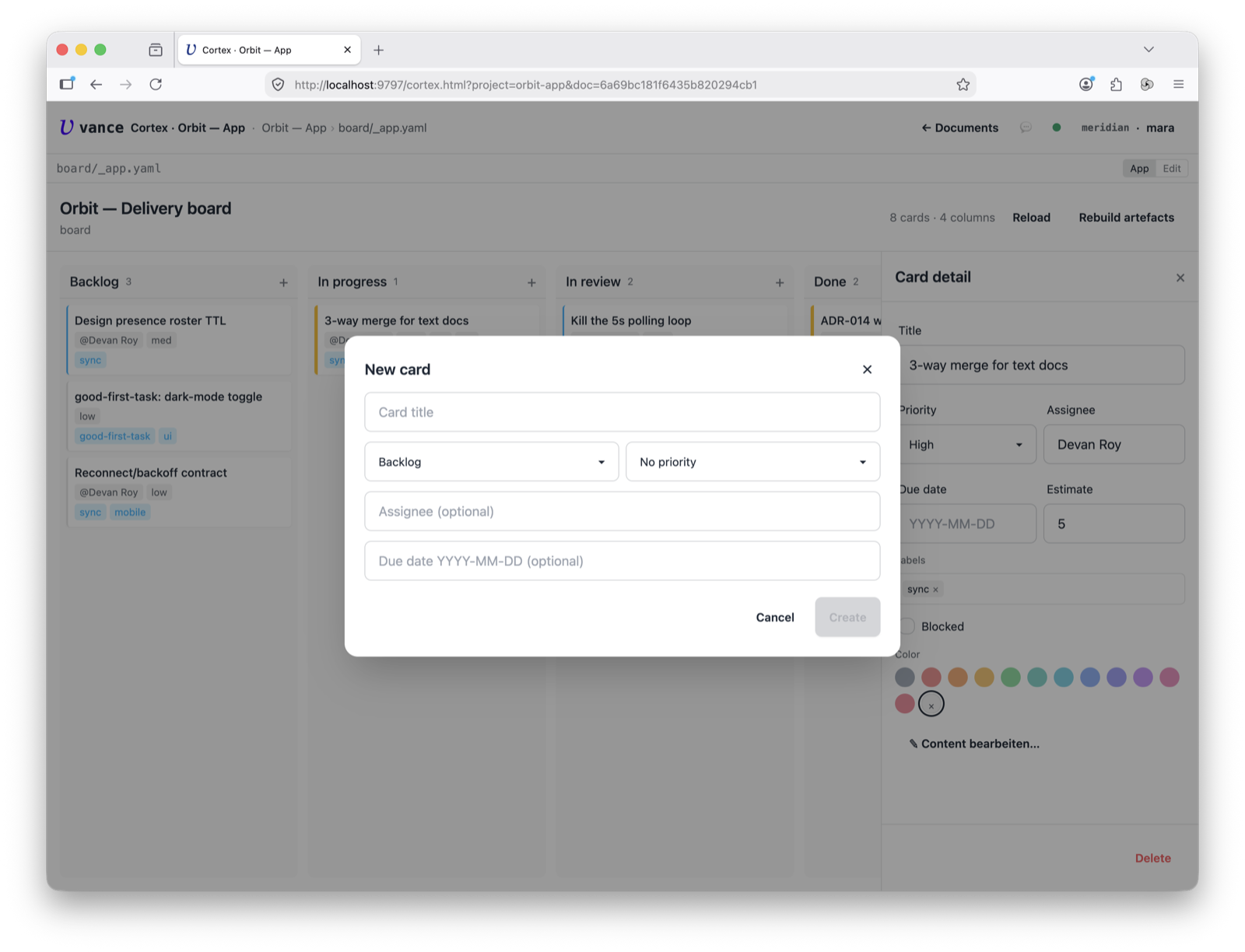
Each column has a + button that opens a new-card form — title, column, priority, assignee, labels, and a body. New cards drop straight into that column.
Built and read by agents
Because the board is just documents, an agent works it with tools — kanban_card_create
to add cards, kanban_move to advance them, kanban_aggregate to read the board
back as stats. A worker can file its own follow-ups as cards, or you can ask
“what’s in review?” and get an answer off the same board you’re looking at.
Where to go next
- The card schema, WIP limits and derived artefacts (
_board.md,_stats.yaml): kanban app spec. - Same board shape, issue-tracker framing: the Issues app.
- Editing a card body alongside chat: Cortex tour.