Sheet — a spreadsheet with functions
A sheet is a spreadsheet document — cells, formulas, formatting — with the twist that it’s just another Vancetope document. Formulas evaluate server-side (Apache POI, the full Excel function pool), so an agent can drop inputs into cells, ask for a recalc, and read the results the exact same way you do.
This tour uses the infra-cost sheet in the demo project orbit-app
(seed it with wb smoke showcase).
Table of contents
- The grid
- Formulas that compute
- Format a range
- It’s just a document
- Filled and read by agents
- Where to go next
The grid
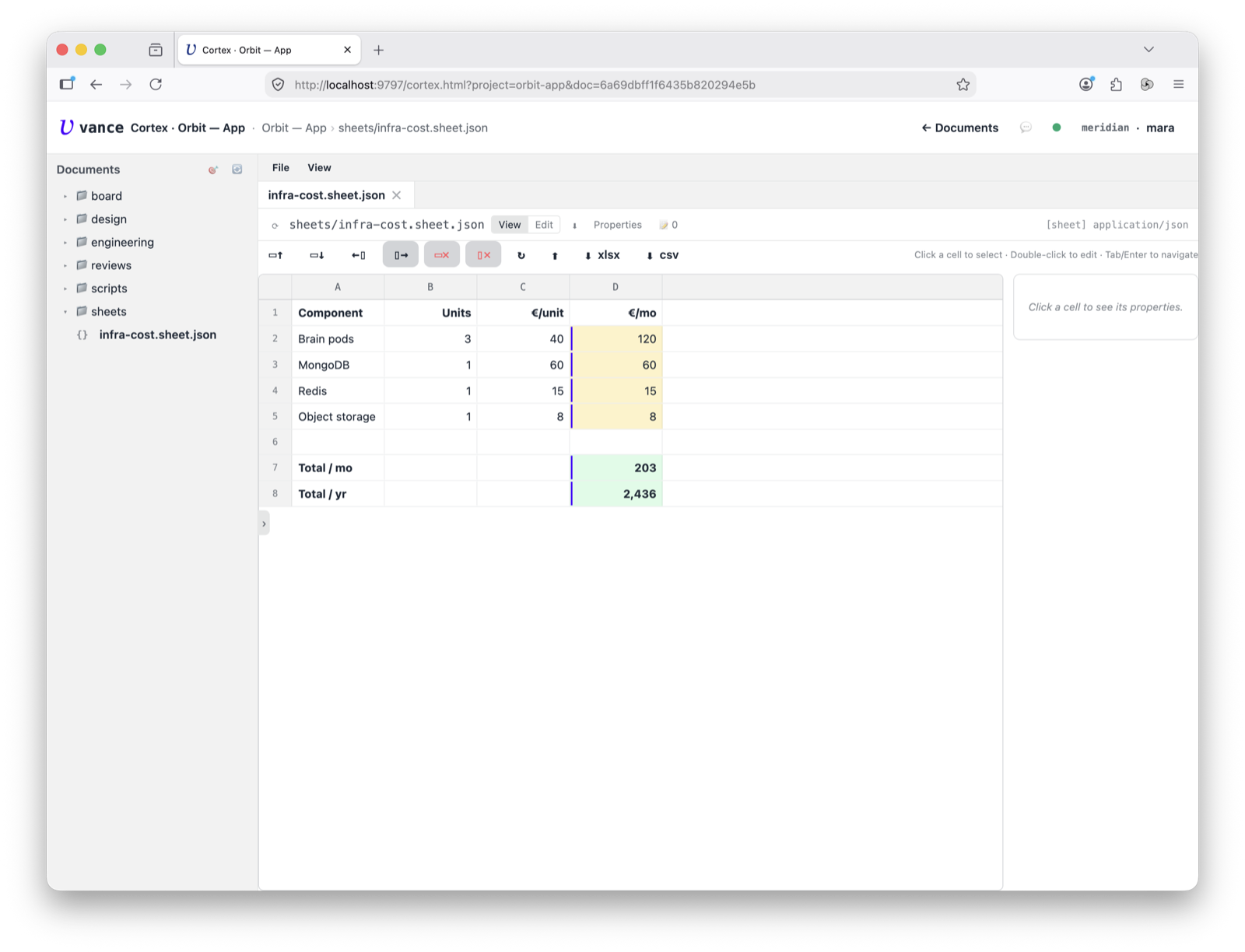
Open the sheet and you get a familiar grid — lettered columns, numbered rows,
inline cell editing. The infra-cost example totals a monthly infra bill:
component, units, €/unit, and a computed €/mo column, with a Total / mo and
Total / yr at the bottom.
Formulas that compute
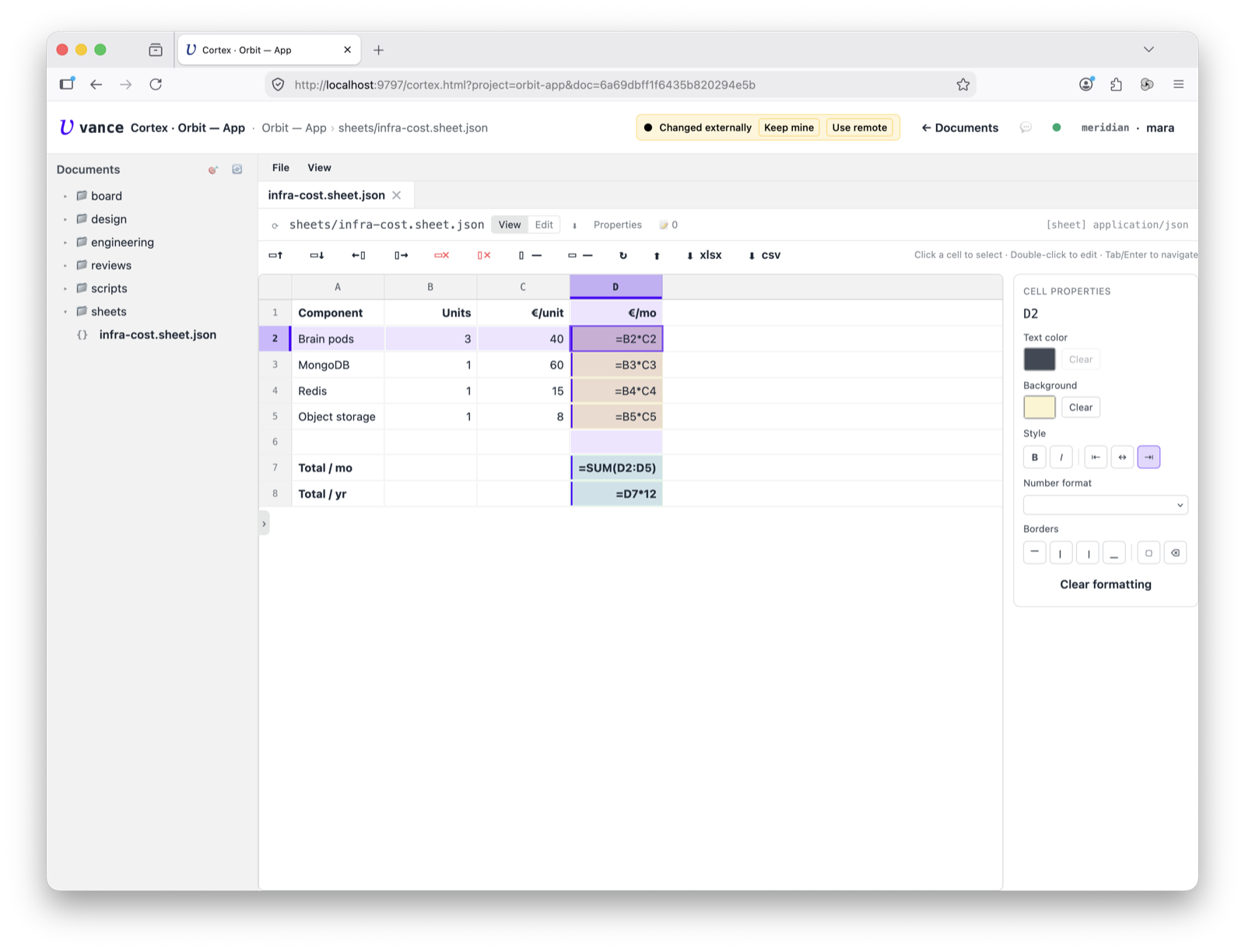
Cells hold values or formulas (=B2*C2, =SUM(D2:D5), =D7*12). A formula cell
shows its result and carries a subtle left-edge marker; click into it and you
see the formula itself. Change an input — say the Brain-pod count — and the
totals recompute (server-side, then the grid updates).
Format a range
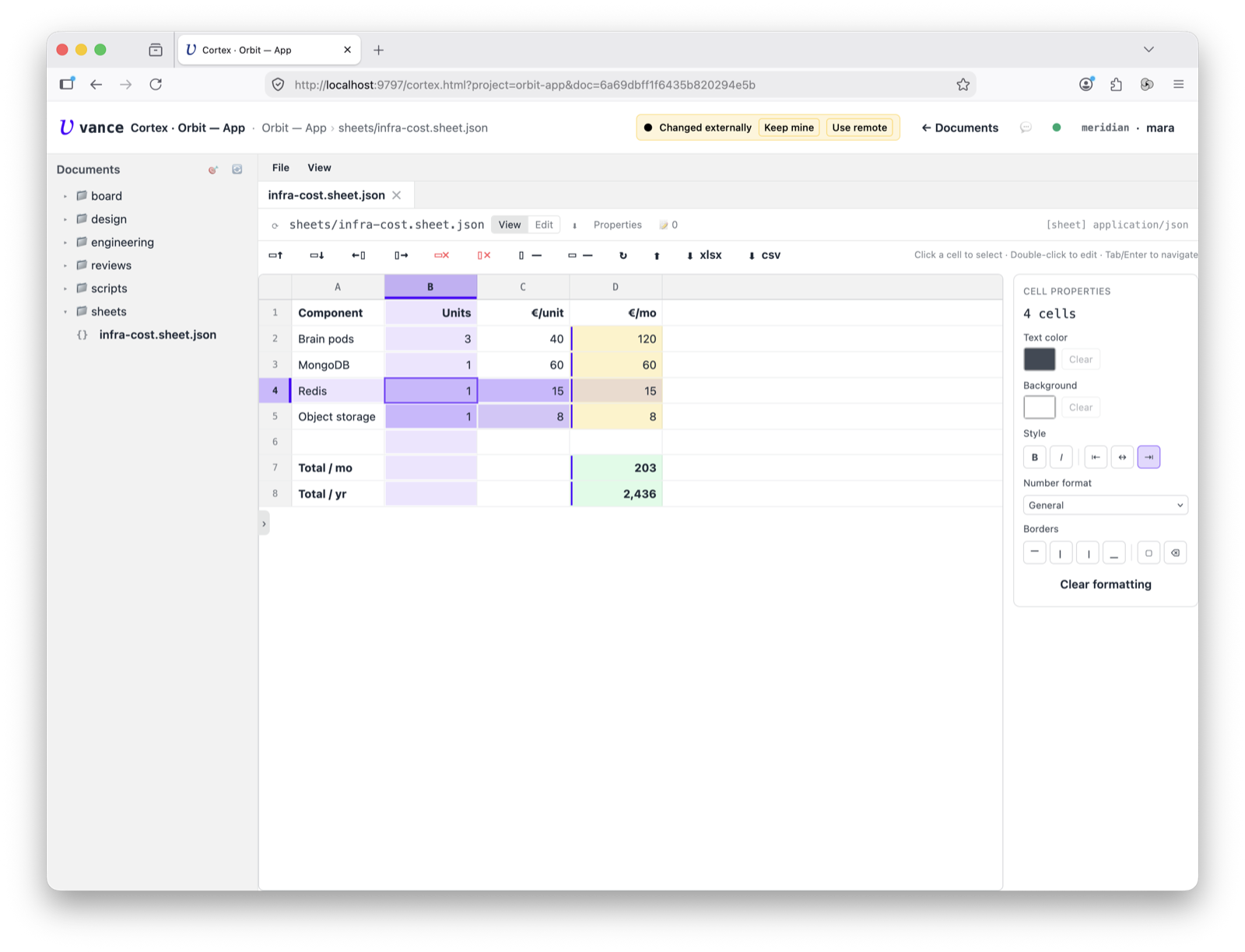
Formatting is per-cell and per-range. Drag out a rectangle and the panel tells
you how many cells you grabbed (“4 cells”) and applies bold, alignment, number
format (the €#,##0 on the money columns), text and background colour to all of
them at once.
It’s just a document
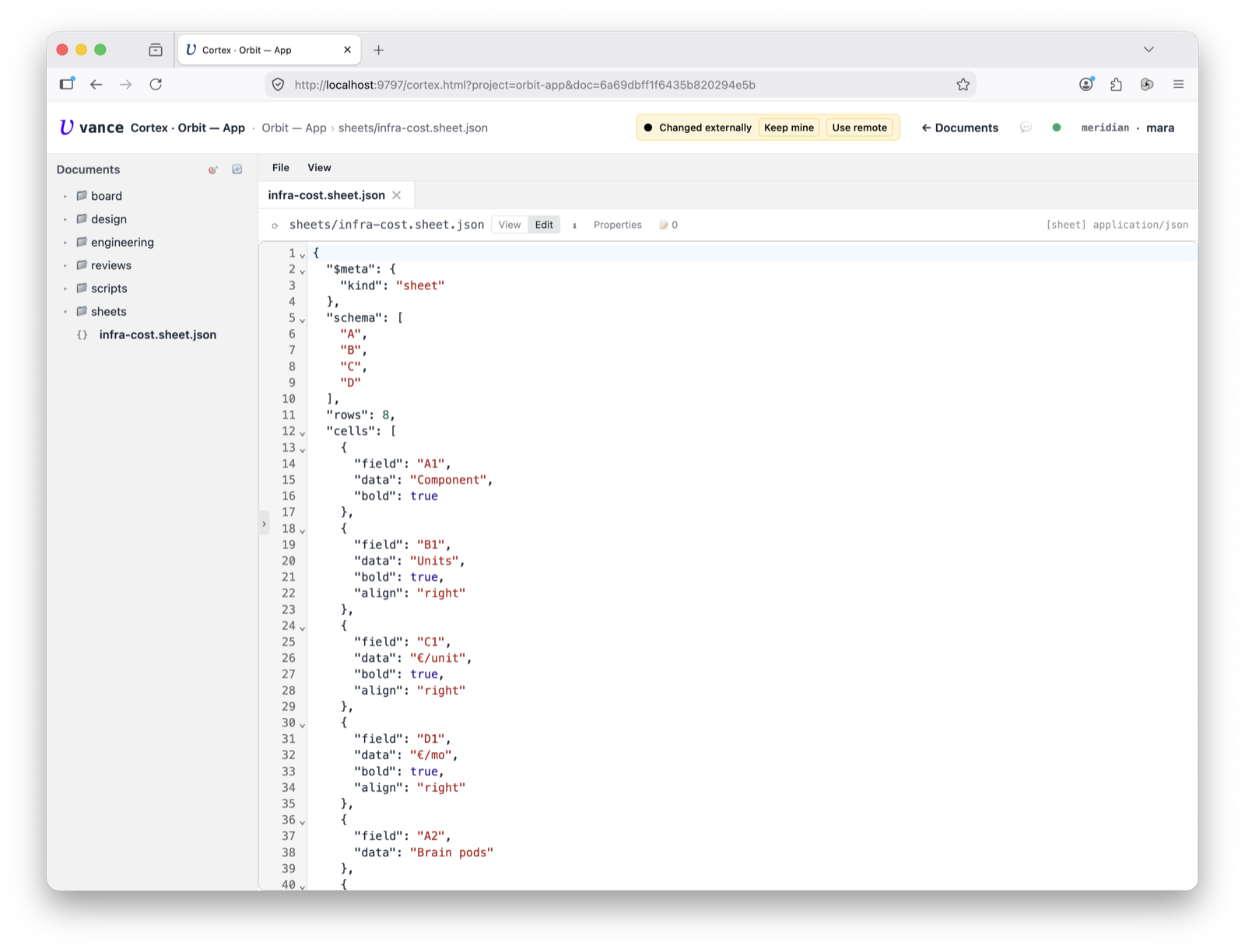
Because a sheet is a plain document, the Raw tab shows the JSON underneath —
$meta, the schema, and each cell with its data (values and =… formulas) and
formatting. CSV / XLSX import and export sit in the toolbar too.
Filled and read by agents
The eight sheet_* tools make the grid programmable: sheet_set_cell to write a
value or formula, sheet_calc to recompute and persist the results,
sheet_get_range to read a block back with its computed values. That’s the point
of server-side evaluation — a recipe can treat a sheet as a calculation template:
set the inputs, calc, read the answer.
Where to go next
- The cell model, on-disk format and the full tool list: sheet spec.
- Running a sheet from a script or compose block: Cortex tour.